Smart Notifications.
Glanceable Island.
A lightweight open-source Android overlay that transforms notifications, live activities, charging states, and media playback into an ultra-fluid, glanceable Dynamic Island with in-pill swipe gestures.
Major Release Highlights
What's New in Version 7.0.0 🔥
Dual-tier in-pill gestures, dedicated updates & downloads hub, selective app alerts, unified burnt-orange theme, companion circle placement, settings backup & restore, and developer diagnostics.
In-Pill Swipe Gestures & Music Controls
Swipe horizontally directly on the compact collapsed pill to switch active notifications, or enable music mode to skip next/previous tracks instantly without ever having to expand the island.
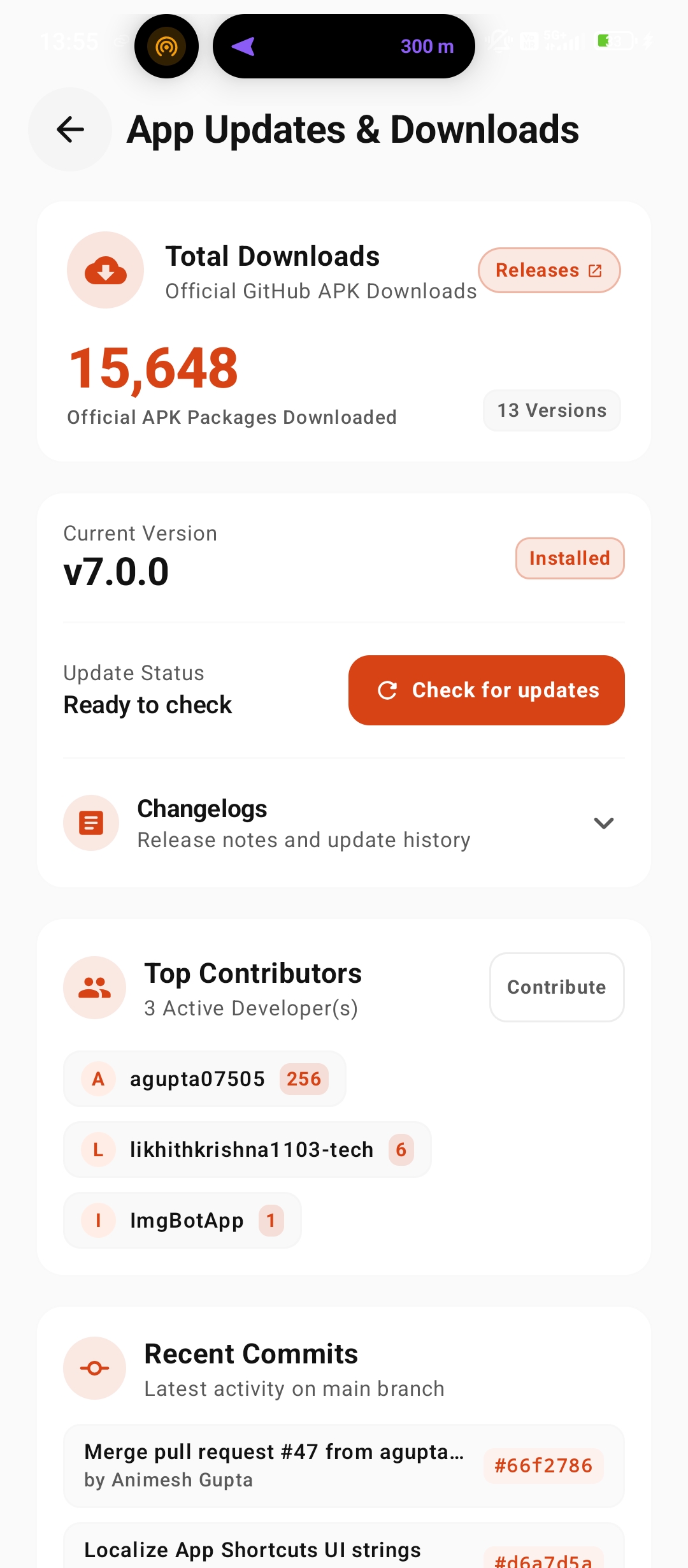
Dedicated App Updates & Downloads Hub
Comprehensive central hub featuring a real-time 15.6K+ total downloads banner at top, live GitHub update checker, top contributors showcase, recent commit activity, and detailed changelogs.
Granular Selective App Alerts Picker
Multi-select interactive modal allowing you to selectively enable or suppress island alerts for specific installed applications with quick search and one-tap toggles to eliminate alert spam.
Unified Burnt-Orange (#D84315) Theme
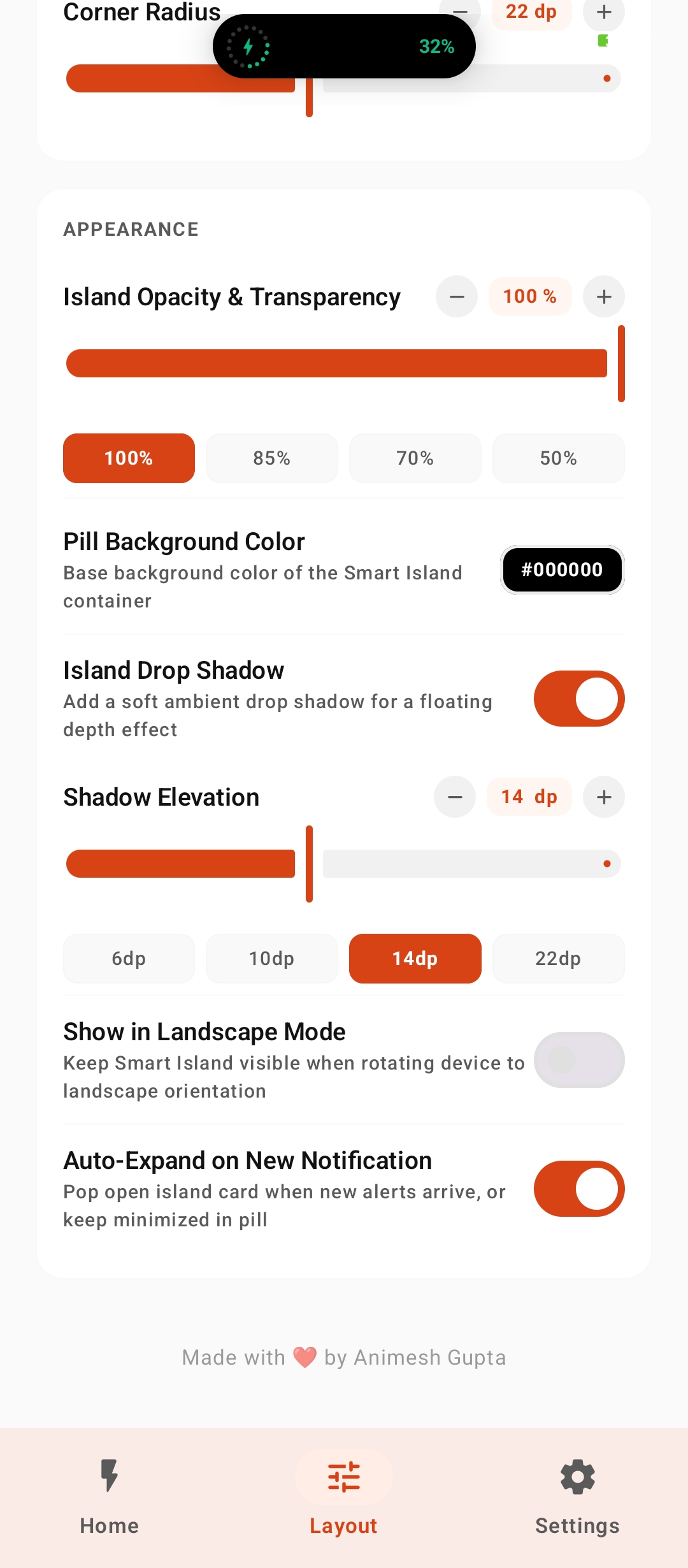
Curated deep burnt-orange brand aesthetic replacing former green tones with warm, high-contrast styling across all island states, settings screens, and dynamic visualizers.
Companion Circle Placement (Left / Right)
Position the secondary companion island circle on either the left or right of your camera cutout, delivering tailored visual balance for asymmetric and corner punch-hole devices.
iPhone Notch Mode & Alignment Calibration
Specialized notch emulation mode with pixel-precise width, height, corner radius, and X/Y offset controls for devices with physical top notches or wide center cutouts.
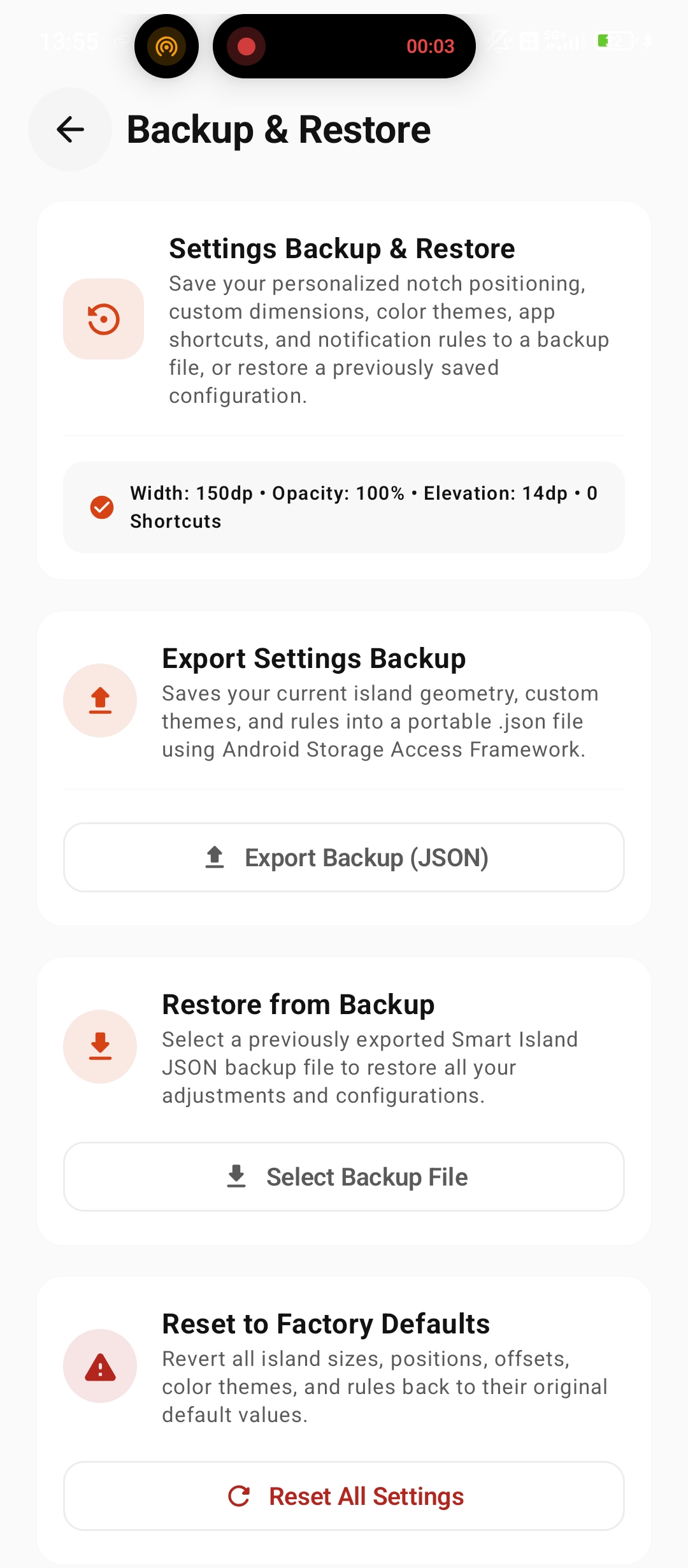
Settings Backup & Restore Hub
One-tap JSON configuration export and import with schema validation, enabling instant backup, effortless migration between devices, and safe factory resets.
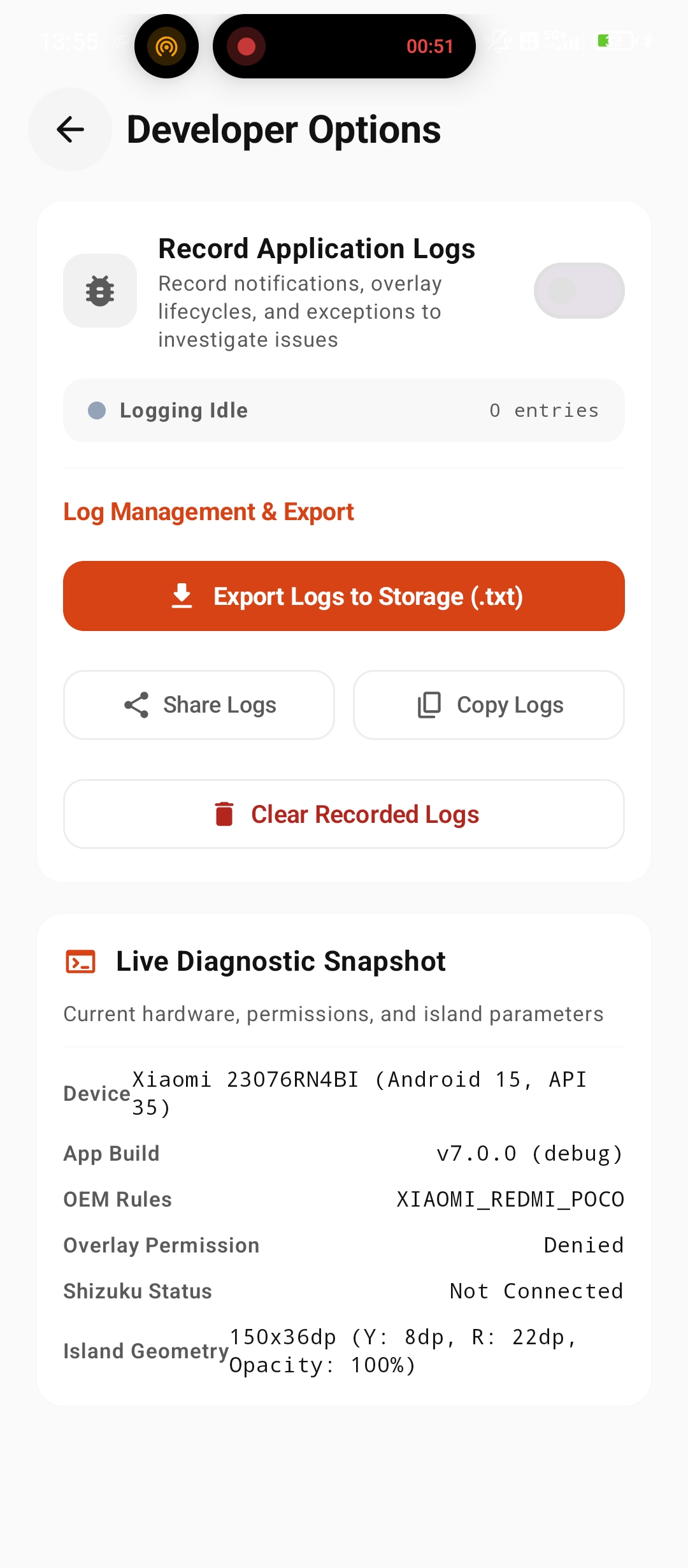
Developer Options & Live Diagnostics
Integrated diagnostic suite with real-time event logs, overlay WindowManager flag inspection, accessibility service health checks, and memory profiling.
Interactive Simulator
Experience the Island right in your browser.
Click the modes below to preview dynamic notifications, click the island to toggle between collapsed and expanded states, or swipe left/right across the pill.
💡 Tap island to expand or collapse. Swipe left/right on the collapsed pill to trigger track/notification switching.
Interface Showcase
Every state designed for instant clarity.
Use navigation controls, swipe, or click any card to inspect all 13 unclipped high-res app screenshots in 3D perspective view.
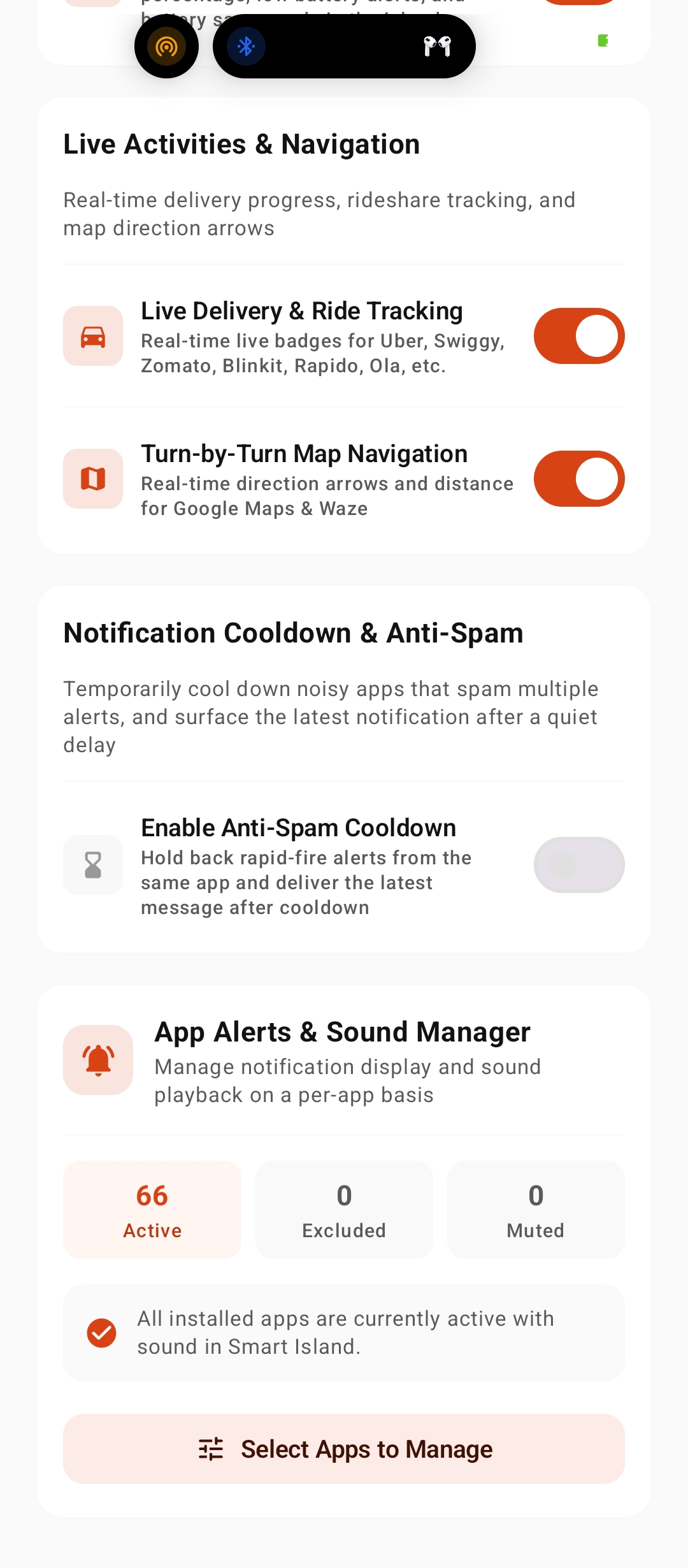
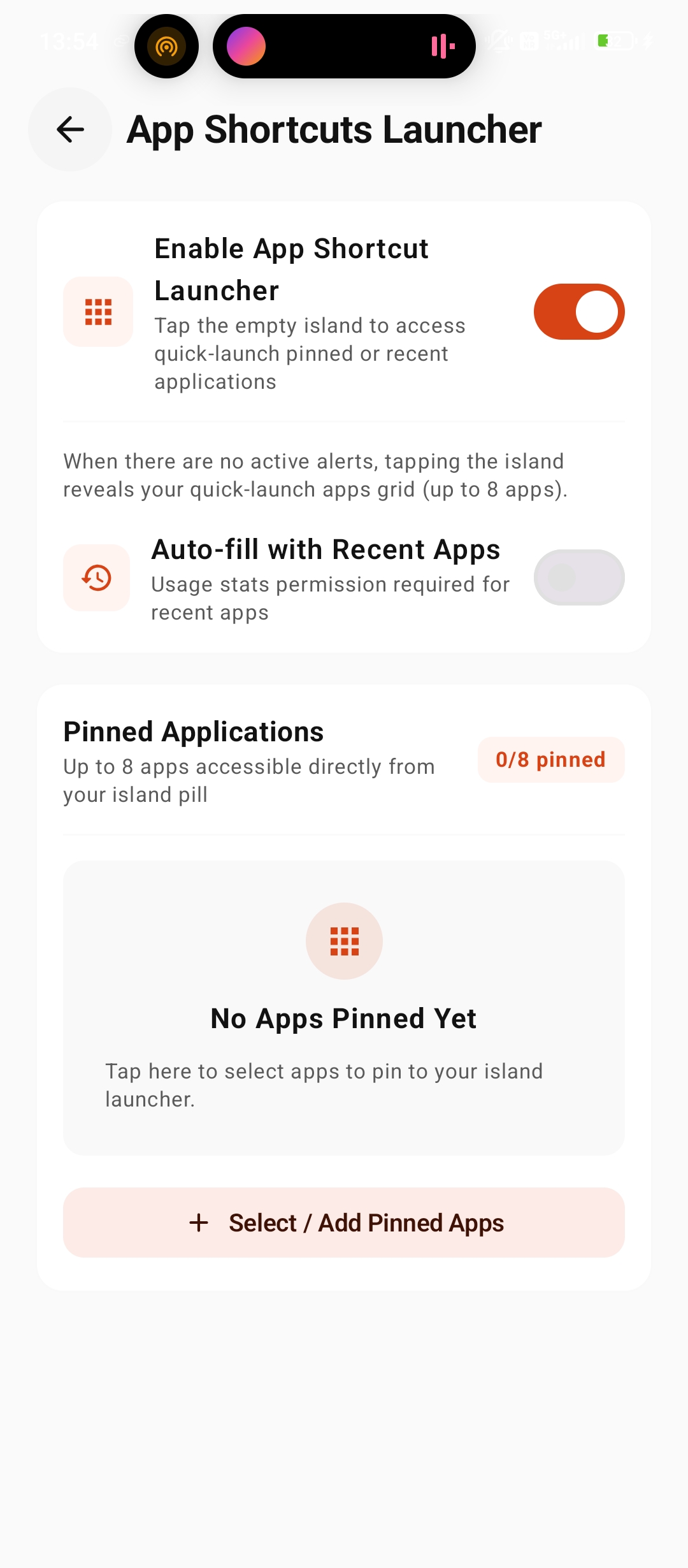
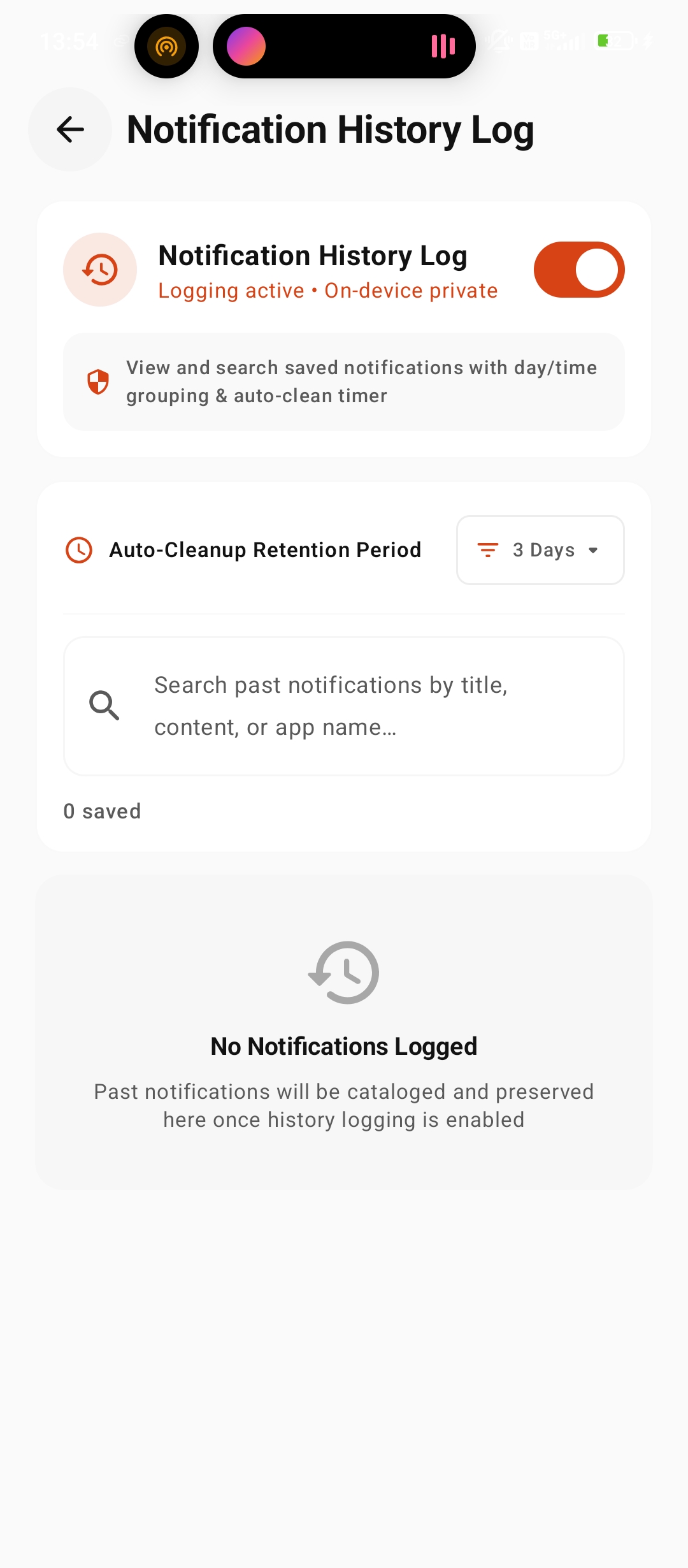
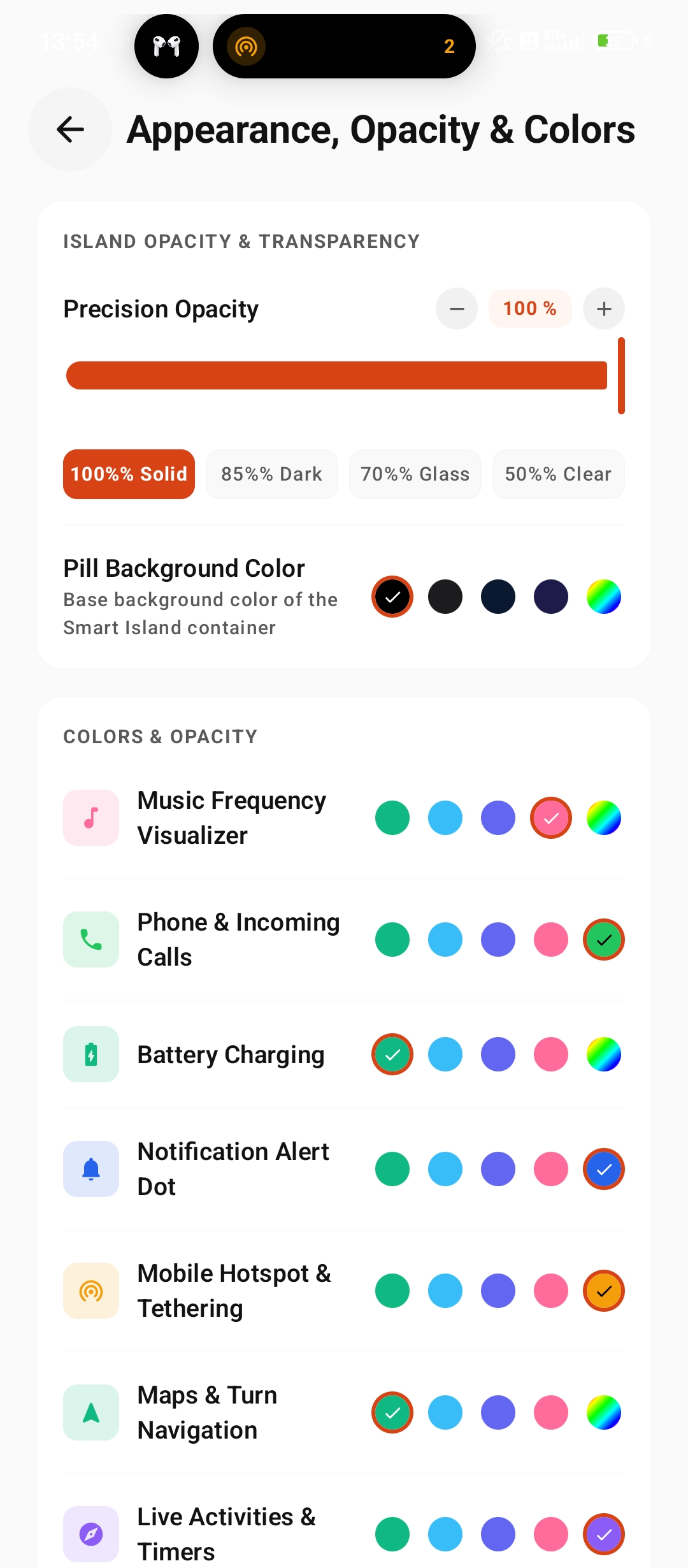
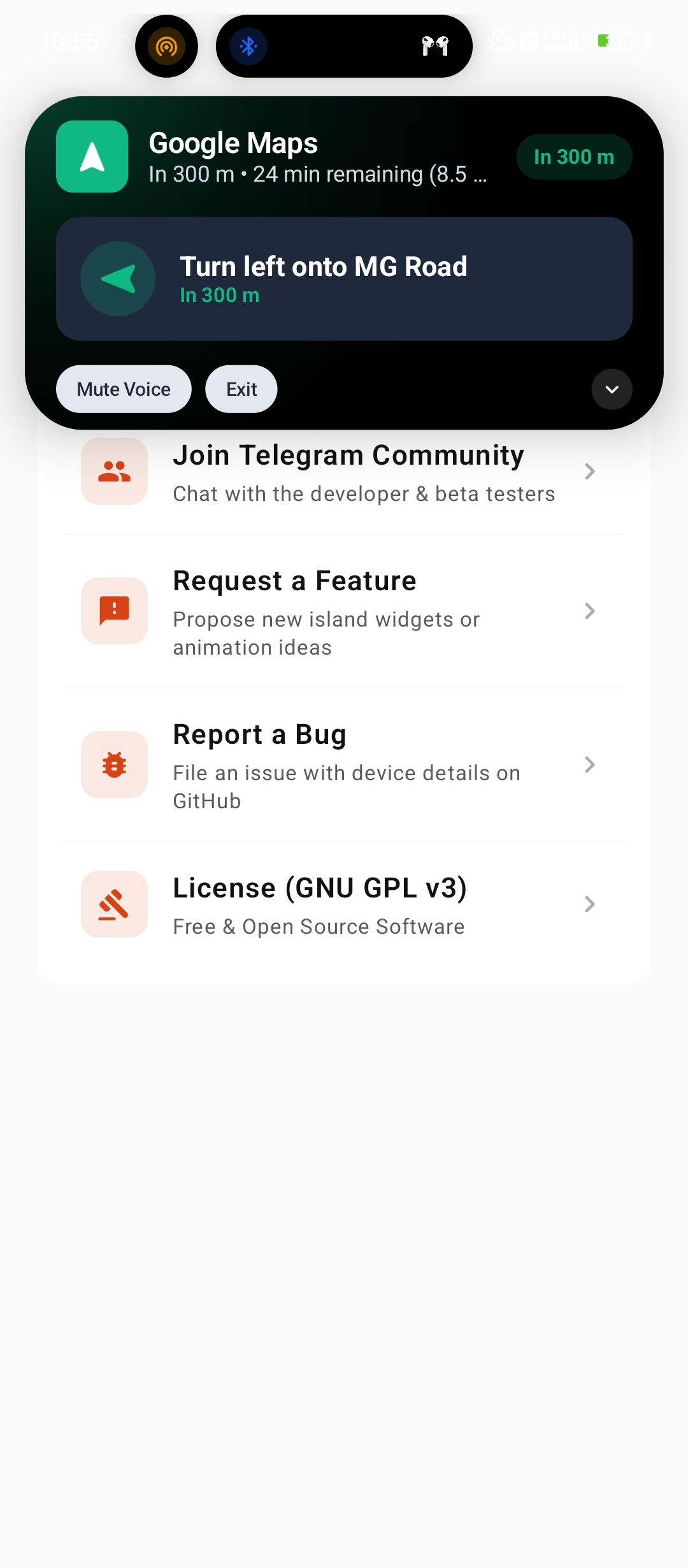
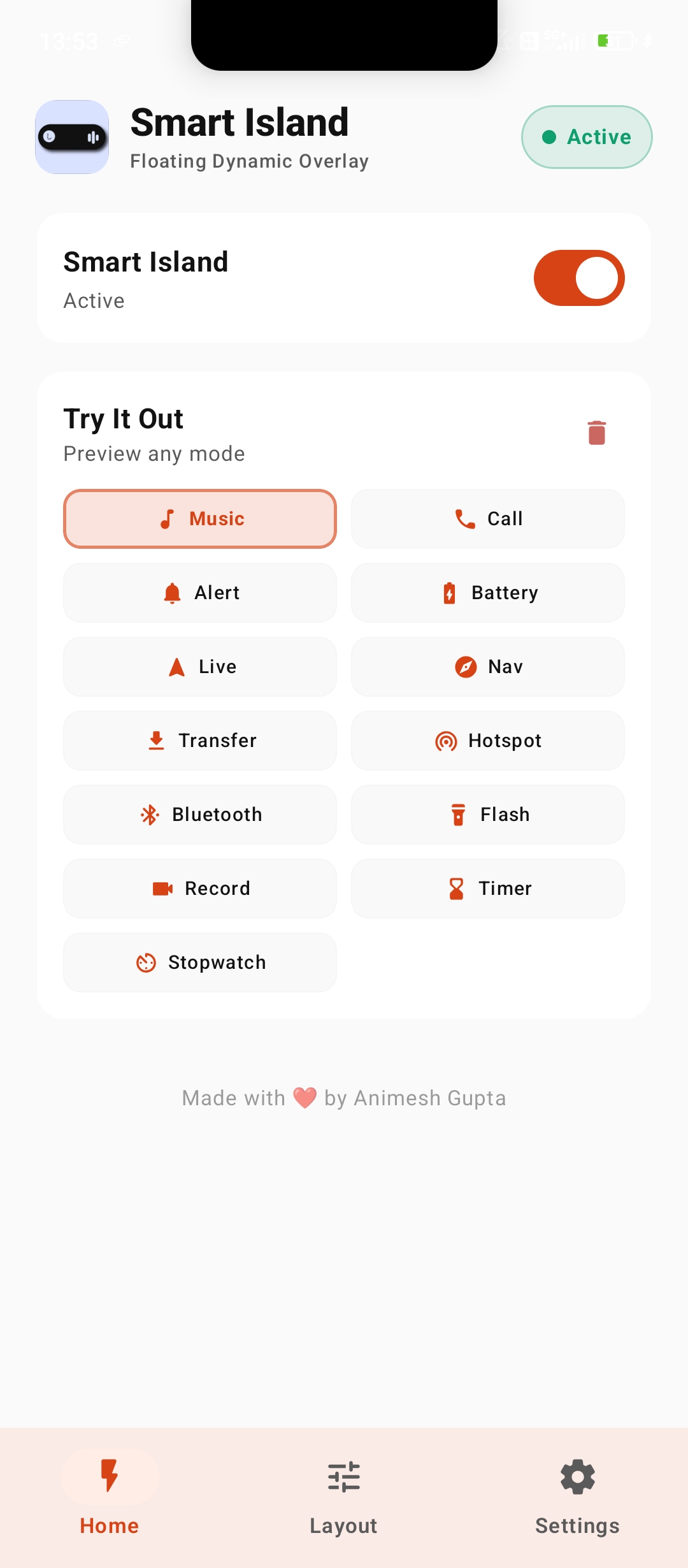
Home & Simulation Hub
Live home screen with 1-tap Try It Out test triggers for Music, Navigation, Timer, Call, and Battery dynamic states.
Gesture Controls
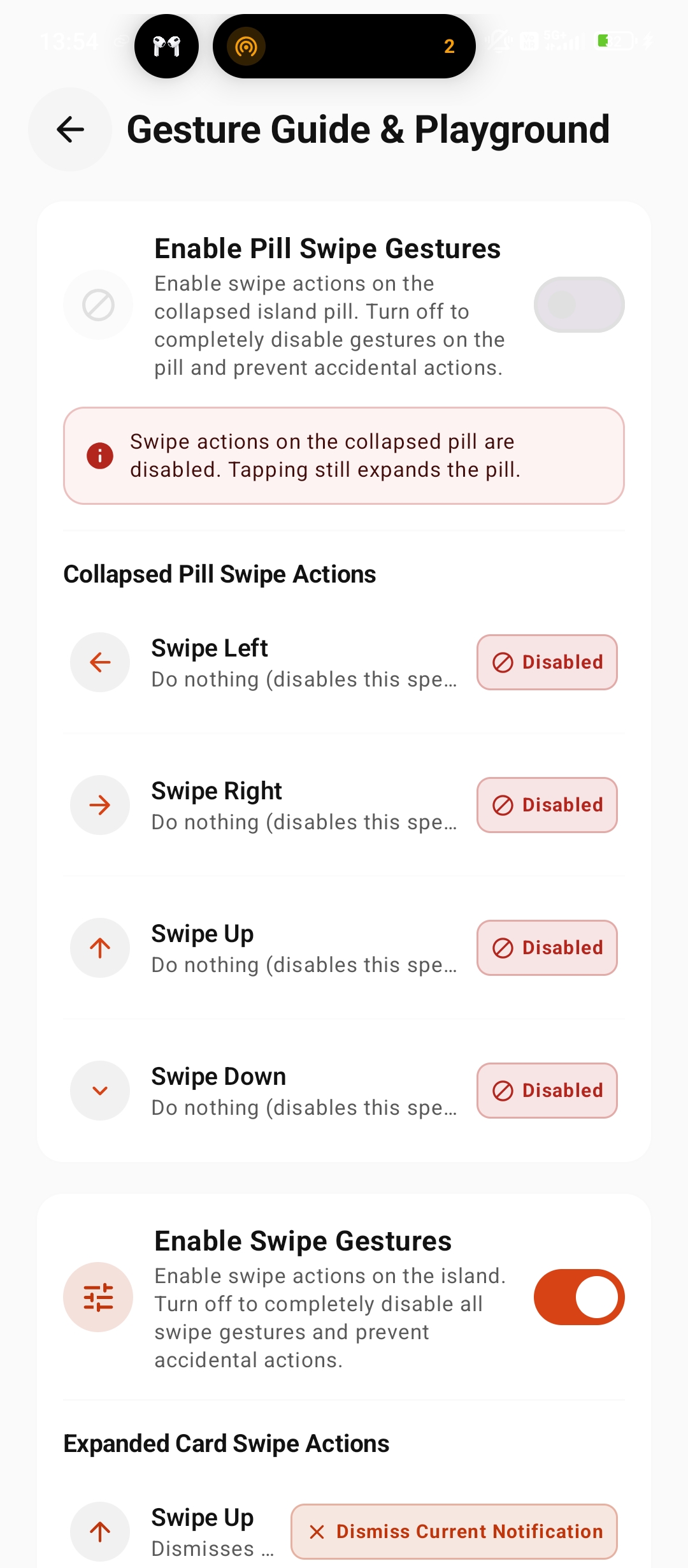
Dual-Tier Gesture Architecture.
Fast, fluid interactions split between compact In-Pill actions and rich Expanded Card gestures.
In-Pill Gestures
Perform quick actions directly on the compact floating pill without interrupting your active app.
Expanded Card Gestures
Intuitive controls on the opened island for multitasking, dismissing, and navigating the stack.
Capabilities Matrix
Everything Smart Island can do.
Complete breakdown of all native Android features, services, and local privacy engine.
Dual-Tier Gesture Engine
In-pill swipe left/right for tracks and notifications, combined with expanded swipe-up dismiss, hold-clear, and floating windows.
Updates & Downloads Hub
15.6K+ total downloads banner, live GitHub update checker, top contributors showcase, and recent commit activity.
Settings Backup & Restore
One-tap JSON configuration export/import with schema validation, easy device migration, and instant factory reset.
Burnt-Orange #D84315 Theme
Curated burnt-orange and amber color studio with continuous opacity controls, RGB sliders, and live hex preview.
Selective App Alerts Picker
Granular multi-select modal to choose exactly which apps can trigger island alerts, eliminating notification spam.
Companion Circle Placement
Choose Left or Right positioning for the secondary companion circle for optimal visual balance on any punch-hole screen.
iPhone Notch Mode
Specialized notch emulation mode with pixel-precise width, height, and offset controls for phones with physical top notches.
Developer Diagnostics & Logs
Real-time event logging stream, overlay WindowManager flag inspection, accessibility service health checks, and memory status.
Spring Physics Engine
Unified calibrated spring curves (stiffness = 520f) and snappy 190ms cross-fades eliminate height jumping completely.
Inline-Reply Messaging
Direct reply input with intelligent soft-keyboard focus management for WhatsApp, Telegram, Signal, SMS, and Slack.
Timer & Stopwatch Modes
Deep clock parsing for Google, Samsung, and Xiaomi clocks with live countdown, elapsed ticker, laps, and reset controls.
Battery & Power Saver
Dynamic states: Charging (Green), Low Battery ≤ 20% (Pulsing Red), and Battery Saver ON (Amber) with live percentage.
SQLite Notification History
High-performance virtualized history list with in-memory LRU caching, live text search, and per-app batch deletion.
Wavy Music Visualizer
Renders media progress as an organic, animated wave with ambient album art glow, track metadata, and seek controls.
Turn-by-Turn Navigation
Real-time maneuver guidance with turn direction arrows, step distance, ETA metrics, and dedicated navigation theme colors.
Live Activity Tracking
Delivery and ride-share tracking cards (Uber, Swiggy, Zomato, Blinkit, Rapido, Ola) with dynamic brand colors.
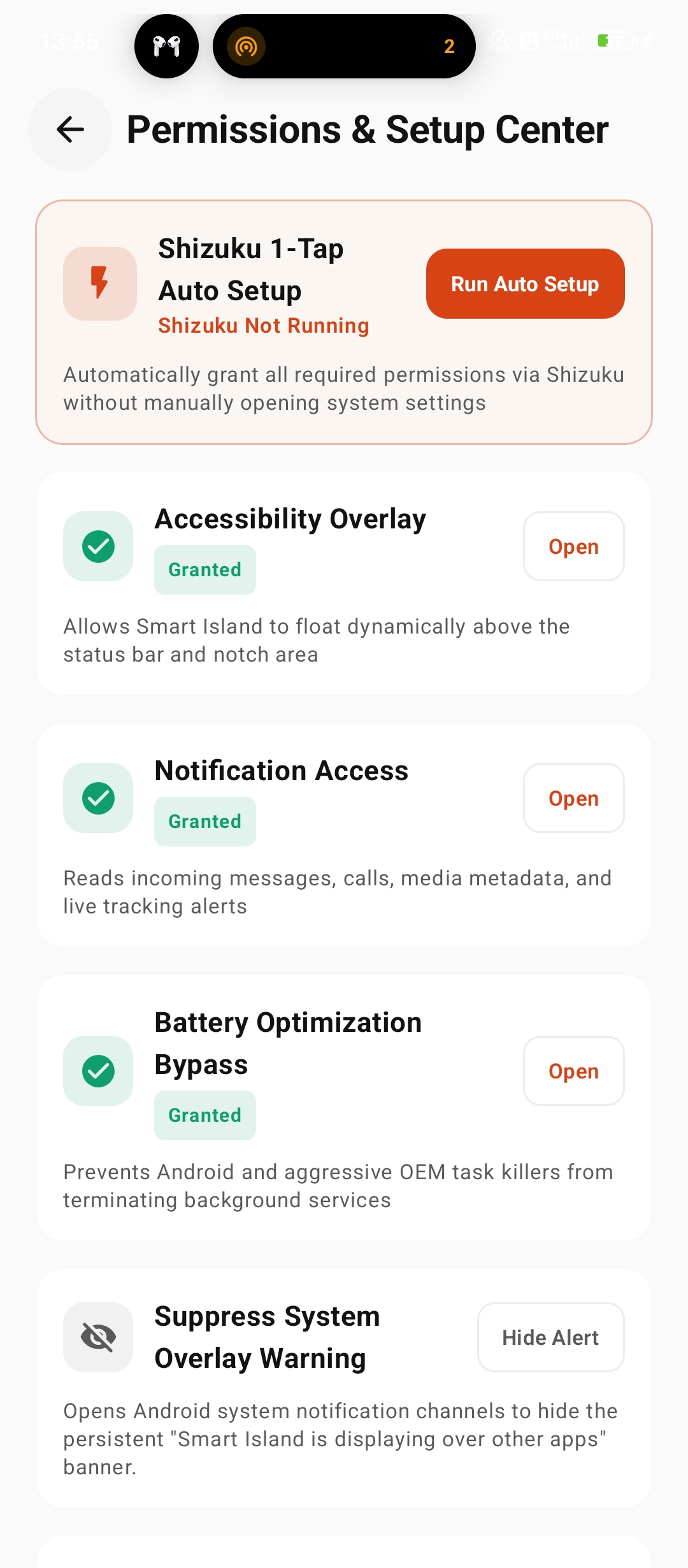
Shizuku 1-Tap Setup
Grant Accessibility, Notification Access, System Overlay, Usage Access, and Battery Whitelist automatically in one tap.
App Shortcuts Launcher
Configure up to eight favorite apps for instant 1-tap launch directly from the empty expanded island.
Getting Started
4 simple steps to install.
Get Smart Island v7.0.0 up and running in under 2 minutes.
Download APK
Download the latest signed v7.0.0 release package directly from GitHub Releases.
Grant Overlay & Accessibility
Allow Smart Island to draw above apps and bind accessibility service (or use 1-Tap Shizuku setup).
Notification Access
Enable notification listener service access so incoming notifications become glanceable cards.
Battery Whitelist
Set Smart Island battery optimization to 'No restrictions' for persistent background performance.
Security & Permissions
Transparent on-device processing.
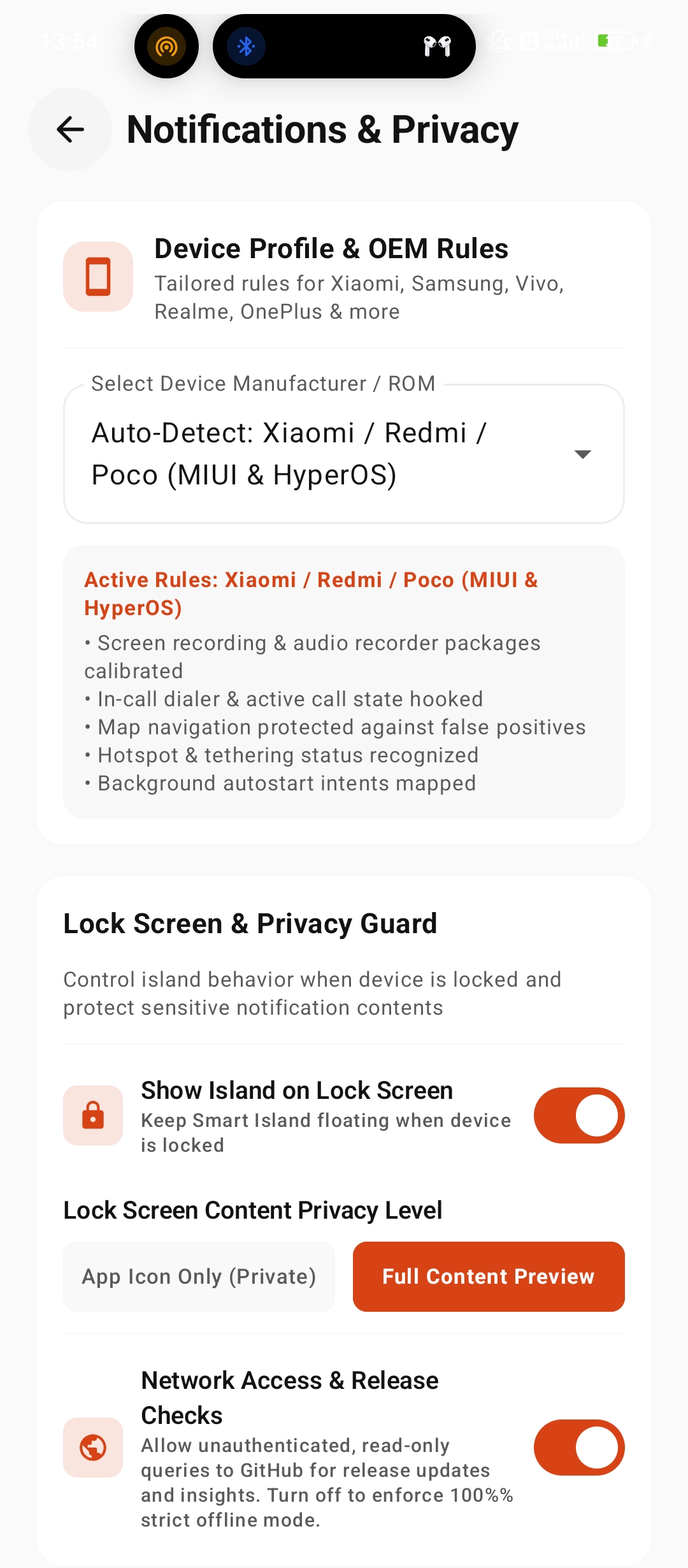
Smart Island requires specific Android system permissions to draw overlays and process notifications locally with zero data transmission.
Built without INTERNET permission.
Smart Island does not request the Android INTERNET permission in its manifest, contains zero
analytics or crash reporting SDKs, and processes all notification metadata locally on your device.
Information Processed Locally:
- App name, package ID, title & notification text
- Album artwork, track playback state & seek progress
- Incoming call categories & active hotspot device counts
- DataStore Preferences & local SQLite notification history
Open Source